
 Checked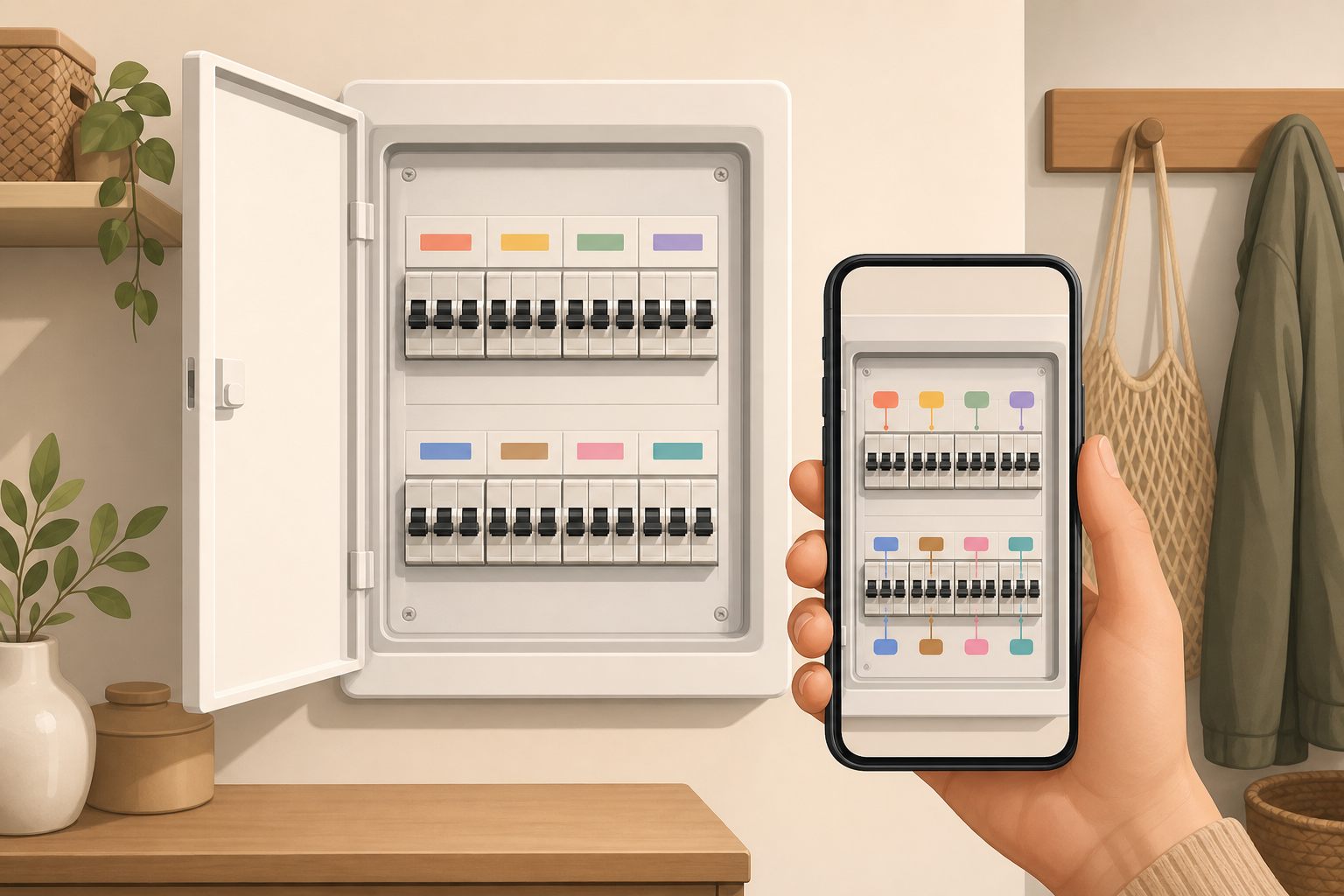
How to set it up
Open the fuse box only as you normally would when switching a breaker on or off. Take a straight, well-lit photo so every switch, number and existing label is readable.
Then walk through the home and add a simple note for each circuit: kitchen, oven, bathroom, basement, office, washing machine, outdoor socket. If you are unsure about one breaker, write "unclear" instead of guessing.
Save the photo and notes somewhere other people in the household can reach them: a shared notes app, a family folder or your home documentation. Give it a clear name such as "Fuse box - July 2026".
Why it helps
Power problems rarely happen at a convenient moment. Older fuse boxes often have missing labels, faded handwriting or vague names that no longer match how the rooms are used.
A photo plan turns guesswork into a quick check. You can look on your phone before standing in front of the panel and narrow down the likely breaker. That saves time at night, during work calls, when guests are staying over or when only one person in the home really knows the setup.
Make the labels useful
Use everyday names instead of technical shorthand. "Kitchen sockets" is better than "K1". If one breaker covers several areas, write them together: "hallway + guest toilet" or "basement lights + utility room".
A second column for important devices is also useful. Add items such as "router", "freezer", "heating", "server" or "aquarium". After an outage, you immediately know which circuits deserve a quick follow-up check.
Safety and upkeep
Do not work on electrical installations unless you are qualified. This tip is only about orientation: look, photograph, label and store. If breakers trip often, labels are completely missing or anything smells burnt, call a qualified electrician.
Update the plan after renovations, kitchen work, new wiring or an electrician visit. An outdated plan is almost as bad as no plan. After bigger work, set a short reminder: check the photo, correct the note and update the date.